
- SAP IDM - Home
- SAP IDM - Introduction
- SAP IDM - Architecture
- SAP IDM - Installation
- SAP IDM - Developer Studio
- SAP IDM - Setting up the Framework
- SAP IDM - Repository Types
- SAP IDM - Using Identity Stores
- SAP IDM - Identity Center Properties
- SAP IDM - Maintaining Packages
- SAP IDM - Using Processes
- SAP IDM - Identity Store Forms
- SAP IDM - Maintaining Jobs
- SAP IDM - Self Service Password Reset
- SAP IDM - Setting Email Notifications
- Connecting SAP ABAP Systems
- Connecting non-SAP Systems
- Identity Reporting using SAP BW
- SAP IDM - Integration using GRC 10.0
- SAP IDM - Migration to New Version
- SAP IDM - Job Responsibilities
- SAP IDM Useful Resources
- SAP IDM - Quick Guide
- SAP IDM - Useful Resources
- SAP IDM - Discussion
SAP IDM - Using Processes
In SAP Identity management, you can create new processes and use developer studio to drag processes in workflow. You can disable/enable packages by navigating to Package properties.
Navigate to General tab of process properties to enable/disable the Process. Under General tab, you have the following options −
Field
Description
Enabled
Process ID/Name
Process ID shows the number that is used to identify the process in IdM database.
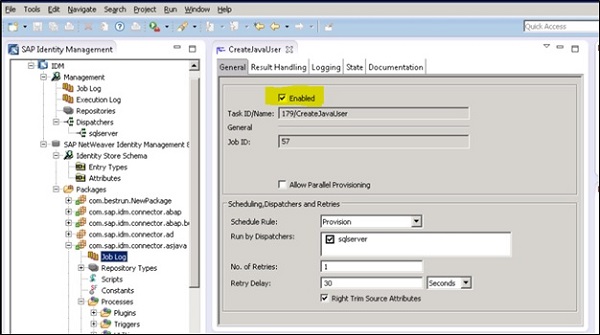
Using Process Properties
A process in an Identity store defines the set of operations that are executed in a particular sequence. You see the below options for Process property −
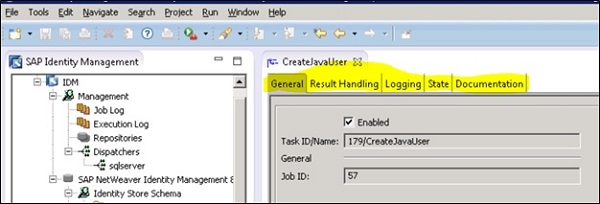
General
Using General tab, you can enable/disable the process or define the process type. You can also define a repository for the process.
Result Handling
This tab can be used to perform result handling for the processes.
Documentation
In this field, you can provide the documentation of a process.