
Article Categories
- All Categories
-
 Data Structure
-
 Networking
-
 RDBMS
RDBMS
-
 Operating System
-
 Java
Java
-
 MS Excel
-
 iOS
iOS
-
 HTML
HTML
-
 CSS
CSS
-
 Android
-
 Python
-
 C Programming
-
 C++
C++
-
 C#
C#
-
 MongoDB
-
 MySQL
MySQL
-
 Javascript
-
 PHP
PHP
-
 Economics & Finance
Selected Reading
How to display a JFrame to the center of a screen in Java?
A JFrame is a subclass of Frame class and the components added to a frame are referred to as its contents, these are managed by the contentPane. We can add the components to a JFrame to use its contentPane instead. A JFrame is like a Window with border, title, and buttons. We can implement most of the java swing applications using JFrame.
By default, a JFrame can be displayed at the top-left position of a screen. We can display the center position of JFrame using the setLocationRelativeTo() method of Window class.
Syntax
public void setLocationRelativeTo(Component c)
Example
import javax.swing.*;
import java.awt.*;
public class JFrameCenterPositionTest extends JFrame {
   public JFrameCenterPositionTest() {
      setTitle("JFrameCenter Position");
      add(new JLabel("JFrame set to center of the screen", SwingConstants.CENTER),                BorderLayout.CENTER);
      setSize(400, 300);
      setDefaultCloseOperation(JFrame.EXIT_ON_CLOSE);
<strong>      </strong>setLocationRelativeTo(null); // this method display the JFrame to center position of a screen<strong>
</strong>      setVisible(true);
   }
   public static void main (String[] args) {
      new JFrameCenterPositionTest();
   }
}
Output
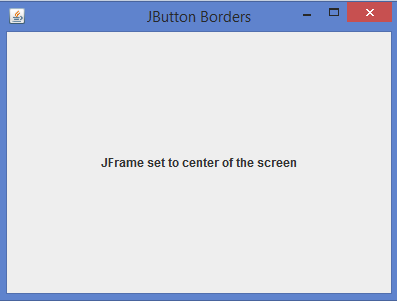

Updated on: 2020-07-03T13:39:50+05:30
23K+ Views

Advertisements