
Article Categories
- All Categories
-
 Data Structure
-
 Networking
-
 RDBMS
RDBMS
-
 Operating System
-
 Java
Java
-
 MS Excel
-
 iOS
iOS
-
 HTML
HTML
-
 CSS
CSS
-
 Android
-
 Python
-
 C Programming
-
 C++
C++
-
 C#
C#
-
 MongoDB
-
 MySQL
MySQL
-
 Javascript
-
 PHP
PHP
Selected Reading
How do you get the font metrics in Java Swing?
To get the font metrics, use the FontMetrics class:
Graphics2D graphics = (Graphics2D) gp.create();
String str = getWidth() + "(Width) x (Height)" + getHeight();
FontMetrics m = graphics.getFontMetrics();
Now to display it:
int xValue = (getWidth() - m.stringWidth(str)) / 2;
int yValue = ((getHeight() - m.getHeight()) / 2) + m.getAscent();
graphics.drawString(str, xValue, yValue);
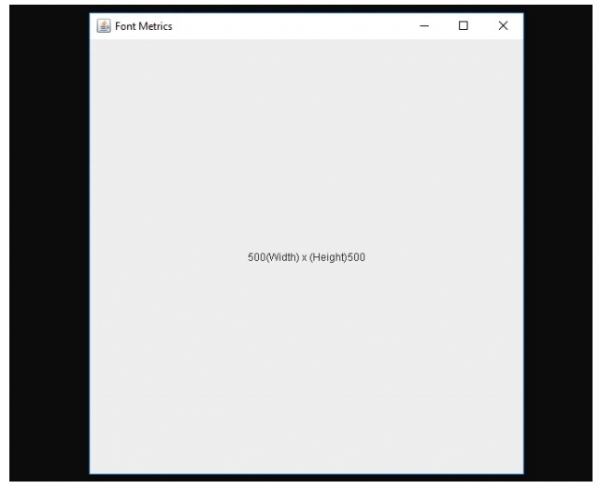
The following is an example to get the font metrics in Java Swing:
Example
import java.awt.BorderLayout;
import java.awt.Dimension;
import java.awt.FontMetrics;
import java.awt.Graphics;
import java.awt.Graphics2D;
import java.awt.Color;
import javax.swing.JFrame;
import javax.swing.JPanel;
public class SwingDemo {
   public static void main(String[] args) {
      JFrame frame = new JFrame("Font Metrics");
      frame.setDefaultCloseOperation(JFrame.EXIT_ON_CLOSE);
      frame.setLayout(new BorderLayout());
      frame.add(new Demo());
      frame.pack();
      frame.setVisible(true);
      System.out.println(frame.getSize());
   }
}
class Demo extends JPanel {
   @Override
   public Dimension getPreferredSize() {
      return new Dimension(500, 500);
   }
   @Override
   protected void paintComponent(Graphics gp) {
      super.paintComponent(gp);
      Graphics2D graphics = (Graphics2D) gp.create();
      String str = getWidth() + "(Width) x (Height)" + getHeight();
      FontMetrics m = graphics.getFontMetrics();
      int xValue = (getWidth() - m.stringWidth(str)) / 2;
      int yValue = ((getHeight() - m.getHeight()) / 2) + m.getAscent();
      graphics.drawString(str, xValue, yValue);
      graphics.dispose();
   }
}
Output

Updated on: 2019-07-30T22:30:26+05:30
647 Views

Advertisements