
- Python XlsxWriter - Home
- Python XlsxWriter - Overview
- Python XlsxWriter - Environment Setup
- Python XlsxWriter - Hello World
- Python XlsxWriter - Important classes
- Python XlsxWriter - Cell Notation & Ranges
- Python XlsxWriter - Defined Names
- Python XlsxWriter - Formula & Function
- Python XlsxWriter - Date and Time
- Python XlsxWriter - Tables
- Python XlsxWriter - Applying Filter
- Python XlsxWriter - Fonts & Colors
- Python XlsxWriter - Number Formats
- Python XlsxWriter - Border
- Python XlsxWriter - Hyperlinks
- Python XlsxWriter - Conditional Formatting
- Python XlsxWriter - Adding Charts
- Python XlsxWriter - Chart Formatting
- Python XlsxWriter - Chart Legends
- Python XlsxWriter - Bar Chart
- Python XlsxWriter - Line Chart
- Python XlsxWriter - Pie Chart
- Python XlsxWriter - Sparklines
- Python XlsxWriter - Data Validation
- Python XlsxWriter - Outlines & Grouping
- Python XlsxWriter - Freeze & Split Panes
- Python XlsxWriter - Hide/Protect Worksheet
- Python XlsxWriter - Textbox
- Python XlsxWriter - Insert Image
- Python XlsxWriter - Page Setup
- Python XlsxWriter - Header & Footer
- Python XlsxWriter - Cell Comments
- Python XlsxWriter - Working with Pandas
- Python XlsxWriter - VBA Macro
Python XlsxWriter - Insert Image
It is possible to insert an image object at a certain cell location of the worksheet, with the help of insert_image() method. Basically, you have to specify the location of cell using any type of notation and the image to be inserted.
worksheet.insert_image('C5', 'logo.png')
The insert_image() method takes following optional parameters in a dictionary.
| Parameter | Default |
|---|---|
| 'x_offset' | 0, |
| 'y_offset' | 0, |
| 'x_scale' | 1, |
| 'y_scale' | 1, |
| 'object_position' | 2, |
| 'image_data' | None |
| 'url' | None |
| 'description' | None |
| 'decorative' | False |
The offset values are in pixels. The x_scale and y_scale parameters are used to scale the image horizontally and vertically.
The image_data parameter is used to add an in-memory byte stream in io.BytesIO format.
Example
The following program extracts the image data from a file in the current folder and uses is as value for image_data parameter.
from io import BytesIO
import xlsxwriter
workbook = xlsxwriter.Workbook('hello.xlsx')
worksheet = workbook.add_worksheet()

filename = 'logo.png'

file = open(filename, 'rb')
data = BytesIO(file.read())
file.close()

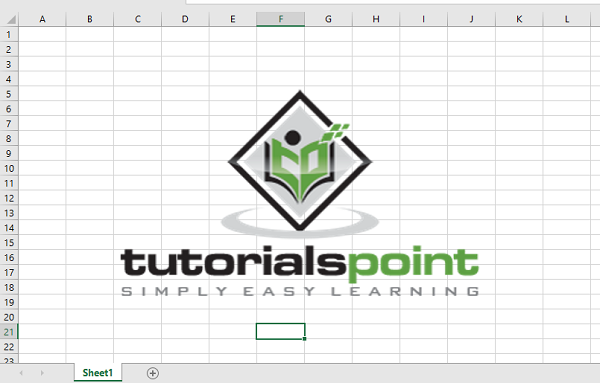
worksheet.insert_image('C5', filename, {'image_data': data})

workbook.close()
Output
Here is the view of the resultant worksheet −
Advertisements