
Article Categories
- All Categories
-
 Data Structure
-
 Networking
-
 RDBMS
RDBMS
-
 Operating System
-
 Java
Java
-
 MS Excel
-
 iOS
iOS
-
 HTML
HTML
-
 CSS
CSS
-
 Android
-
 Python
-
 C Programming
-
 C++
C++
-
 C#
C#
-
 MongoDB
-
 MySQL
MySQL
-
 Javascript
-
 PHP
PHP
Selected Reading
HTML returnValue Event Property
The HTML returnValue event property returns and modify whether the current event is cancelled or not.
Syntax
Following is the syntax −
1. Returning returnValue
event.returnValue
2. Adding returnValue
event.returnValue=”true | false”
Let us see an example of HTML returnValue event property−
Example
<!DOCTYPE html>
<html>
<head>
<style>
   body {
      color: #000;
      height: 100vh;
      background-color: #FBAB7E;
      background-image: linear-gradient(62deg, #FBAB7E 0%, #F7CE68 100%);
      text-align: center;
   }
   input {
      width: 200px;
      height: 2rem;
   }
   .msg {
      font-size: 1.5rem;
   }
</style>
</head>
<body>
<h1>HTML returnValue Event Property Demo</h1>
<input type="text" placeholder="Enter your name" onfocus="show(event)">
<p class="msg"></p>
<script>
   function show(event) {
      document.querySelector('.msg').innerHTML = 'Is onfocus event is active on above input field? ' + event.returnValue;
   }
</script>
</body>
</html>
Output
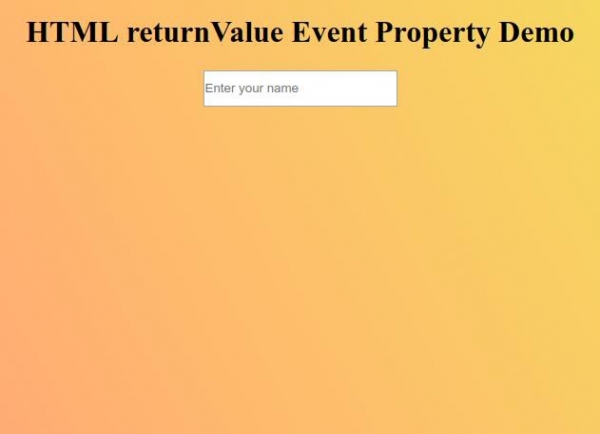
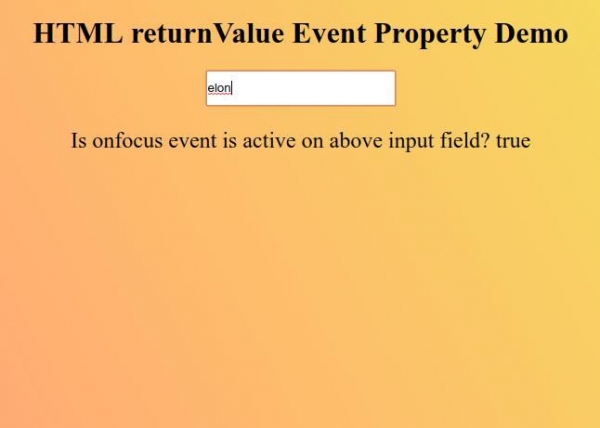
Now try to enter value in the input field to make it focus so as to display the value of returnValue event property.

Updated on: 2026-03-11T22:50:45+05:30
150 Views

Advertisements