
Article Categories
- All Categories
-
 Data Structure
-
 Networking
-
 RDBMS
RDBMS
-
 Operating System
-
 Java
Java
-
 MS Excel
-
 iOS
iOS
-
 HTML
HTML
-
 CSS
CSS
-
 Android
-
 Python
-
 C Programming
-
 C++
C++
-
 C#
C#
-
 MongoDB
-
 MySQL
MySQL
-
 Javascript
-
 PHP
PHP
Selected Reading
How to open browser window in incognito/private mode using python selenium webdriver?
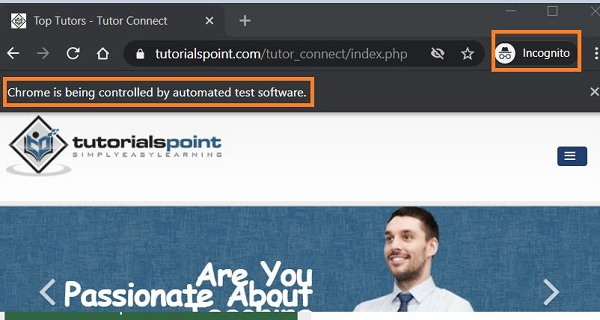
We can open a browser window in incognito/private mode with Selenium webdriver in Python using the ChromeOptions class. We have to create an object of the ChromeOptions class.
Then apply the method add_argument to that object and pass the parameter -- incognito has a parameter. Finally, this information has to be passed to the webdriver object.
Syntax
c = webdriver.ChromeOptions()
c.add_argument("--incognito")
Example
from selenium import webdriver
#object of ChromeOptions class
c = webdriver.ChromeOptions()
#incognito parameter passed
c.add_argument("--incognito")
#set chromodriver.exe path
driver = webdriver.Chrome(executable_path="C:\chromedriver.exe",options=c)
driver.implicitly_wait(0.5)
#launch URL
driver.get("https://www.tutorialspoint.com/tutor_connect/index.php")
Output

Updated on: 2021-04-03T11:00:57+05:30
8K+ Views

Advertisements