
Article Categories
- All Categories
-
 Data Structure
-
 Networking
-
 RDBMS
RDBMS
-
 Operating System
-
 Java
Java
-
 MS Excel
-
 iOS
iOS
-
 HTML
HTML
-
 CSS
CSS
-
 Android
-
 Python
-
 C Programming
-
 C++
C++
-
 C#
C#
-
 MongoDB
-
 MySQL
MySQL
-
 Javascript
-
 PHP
PHP
-
 Economics & Finance
How to make phone call in iOS 10 using Swift?
In this post we will be seeing how to make phone in iOS programmatically.
So let’s get started.
Step 1 − Open Xcode → New Project → Single View Application → Let’s name it “MakeCall”
Step 2 − Open Main.storyboard and add one text field and one button as shown below
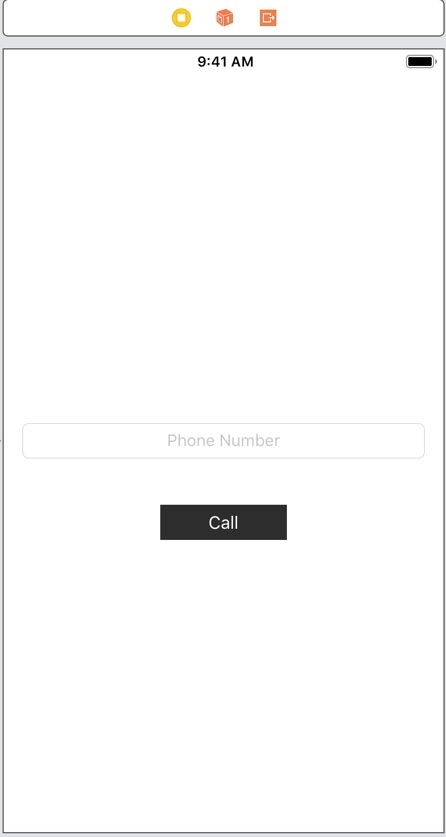
Step 3 − Create @IBOutlet for the text field, name it phoneNumberTextfield.
Step 4 − Create @IBAction method callButtonClicked for call button
Step 5 − To make a call we can use iOS openURL. In callButtonClicked add following lines
if let url = URL(string: "tel://\(phoneNumberTextfield.text!)"),
UIApplication.shared.canOpenURL(url) {
UIApplication.shared.open(url, options: [:], completionHandler: nil)
Step 6 − Run the app and enter the number you want to make call to as shown in the pic below
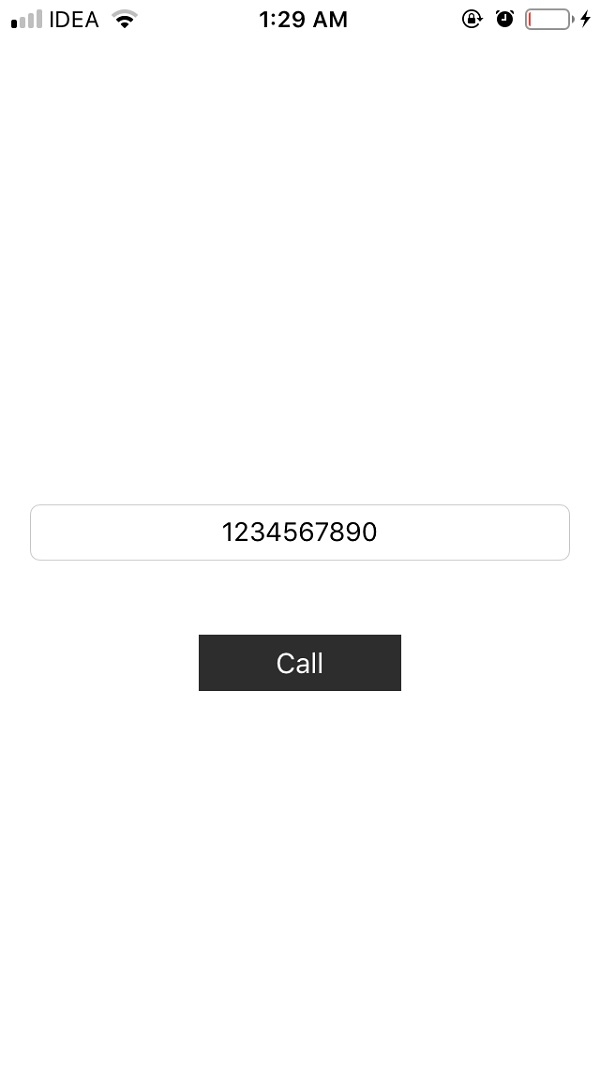
Step 7 − Click on the call button, you will be shown an alert with ‘Call’ and ‘Cancel’ options
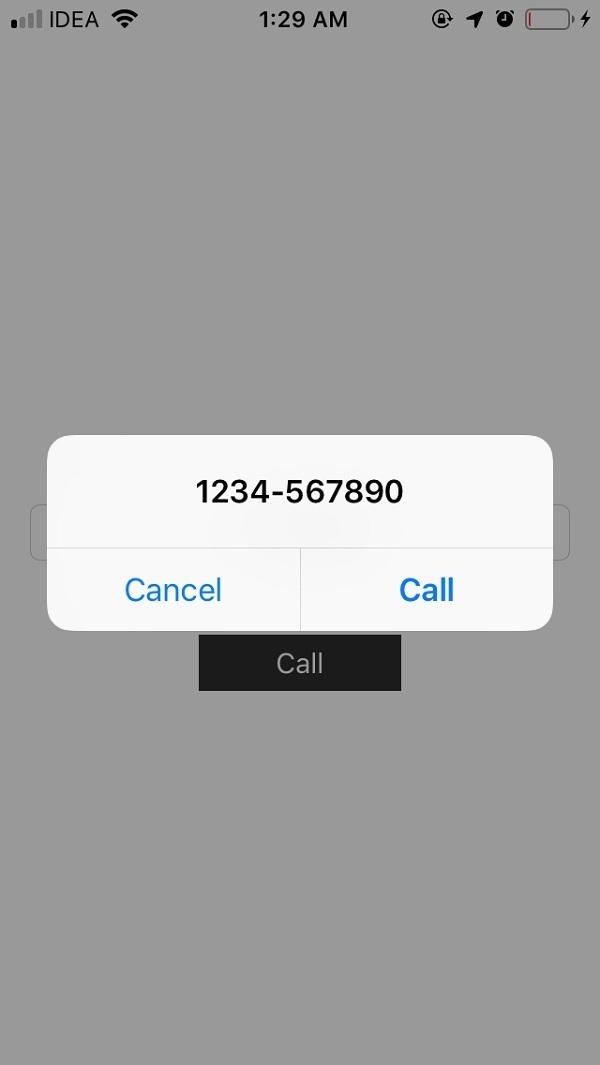
Step 8 − Click on the call button, the call will be made to the number, as shown below


2K+ Views
