
Article Categories
- All Categories
-
 Data Structure
-
 Networking
-
 RDBMS
RDBMS
-
 Operating System
-
 Java
Java
-
 MS Excel
-
 iOS
iOS
-
 HTML
HTML
-
 CSS
CSS
-
 Android
-
 Python
-
 C Programming
-
 C++
C++
-
 C#
C#
-
 MongoDB
-
 MySQL
MySQL
-
 Javascript
-
 PHP
PHP
Selected Reading
How to clear the contents of a Tkinter Text widget?
Tkinter Text Widget is used to add the text writer in an application. It has many attributes and properties which are used to extend the functionality of a text editor. In order to delete the input content, we can use the delete("start", "end") method.
Example
#Import the tkinter library
from tkinter import *

#Create an instance of tkinter frame
win = Tk()

#Set the geometry
win.geometry("600x250")

#Define a function to clear the input text
def clearToTextInput():
   my_text.delete("1.0","end")

#Create a text widget
my_text=Text(win, height=10)
my_text.pack()

#Create a Button
btn=Button(win,height=1,width=10, text="Clear",command=clearToTextInput)
btn.pack()

#Display the window without pressing key
win.mainloop()
Output
Running the above code will create a text widget and a button that can be used to clear the Input text.
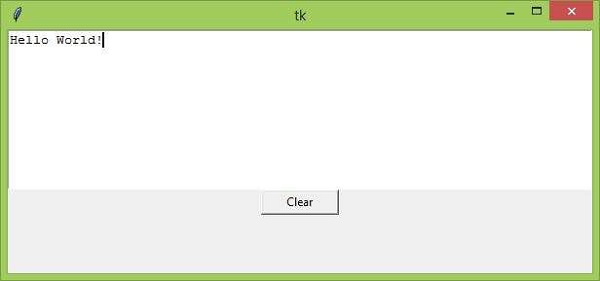
Now Click on the “Clear” button, it will clear the input text.

Updated on: 2021-03-26T11:08:12+05:30
24K+ Views

Advertisements