
Article Categories
- All Categories
-
 Data Structure
-
 Networking
-
 RDBMS
RDBMS
-
 Operating System
-
 Java
Java
-
 MS Excel
-
 iOS
iOS
-
 HTML
HTML
-
 CSS
CSS
-
 Android
-
 Python
-
 C Programming
-
 C++
C++
-
 C#
C#
-
 MongoDB
-
 MySQL
MySQL
-
 Javascript
-
 PHP
PHP
-
 Economics & Finance
How to convert a colored image to Sepia image using Java OpenCV library?
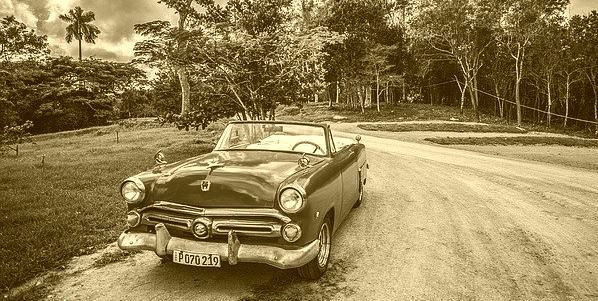
Algorithm to convert a colored image to sepia −
Get the red green blue values of each pixel
Get the average of these 3 colors.
Define the depth and intensity values (ideally 20, and 30).
-
Modify the values as −
red = red + (depth*2).
Green = green +depth.
blue = blue-intensity.
Make sure that the modified values are between 0 to 255.
Create a new pixel value from the modified colors and set the new value to the pixel.
Implementation in Java
Read the required image using ImageIO.read() method.
Get the height and width of the image.
Using nested for loops traverse through each pixel in the image.
Get the pixel value using the getRGB() method.
Create a Color object by passing the above-retrieved pixel value as parameter.
Get the red, green, blue values from the color object using the getRed(), getGreen() and getBlue() methods respectively.
Calculate the new red, green and blue values as specified in the algorithm.
Create a new pixel with the modified RGB values.
Set the new pixel value(s) using the setRGB() method.
Example
import java.io.File;
import java.io.IOException;
import java.awt.Color;
import java.awt.image.BufferedImage;
import javax.imageio.ImageIO;
public class Color2Sepia {
public static void main(String args[])throws IOException {
//Reading the image
File file= new File("D:\Images\cuba.jpg");
BufferedImage img = ImageIO.read(file);
for (int y = 0; y 255)red = 255;
if (green > 255)green = 255;
if (blue > 255)blue = 255;
if (blueInput
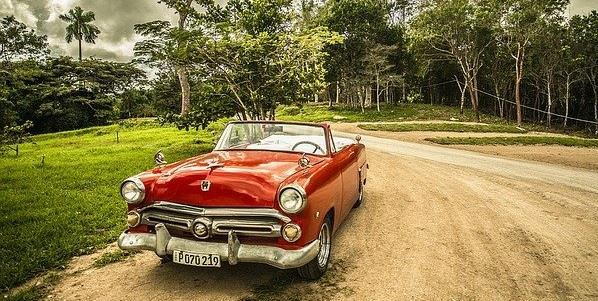
Output

957 Views
