
Article Categories
- All Categories
-
 Data Structure
-
 Networking
-
 RDBMS
RDBMS
-
 Operating System
-
 Java
Java
-
 MS Excel
-
 iOS
iOS
-
 HTML
HTML
-
 CSS
CSS
-
 Android
-
 Python
-
 C Programming
-
 C++
C++
-
 C#
C#
-
 MongoDB
-
 MySQL
MySQL
-
 Javascript
-
 PHP
PHP
-
 Economics & Finance
How to compare numbers but allowing a tolerance in Excel?
In this article we will learn how to compare two number having nearby values to each other with a specified tolerance value. However using the basic formula as =A1=B1 we can directly compare the values for the exact match but sometimes we need to compare the value upto a tolerance values. For this, follow the below mentioned formula and steps.
Comparing Two Numbers having a Specified Tolerance Value
Step 1 ? We have taken the following sample data for comparison.
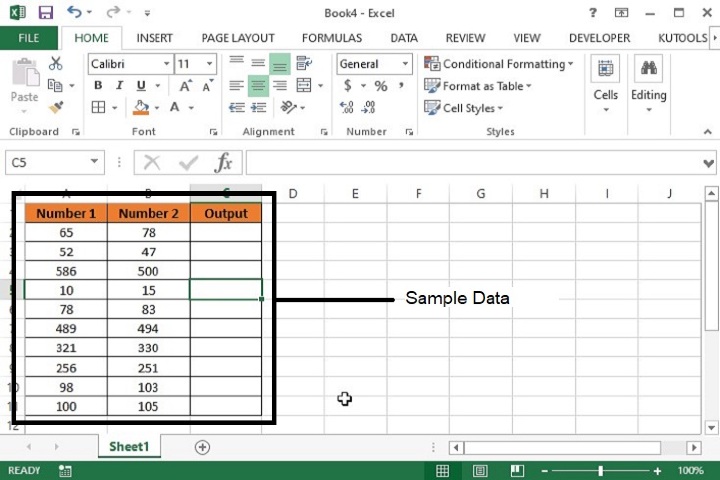
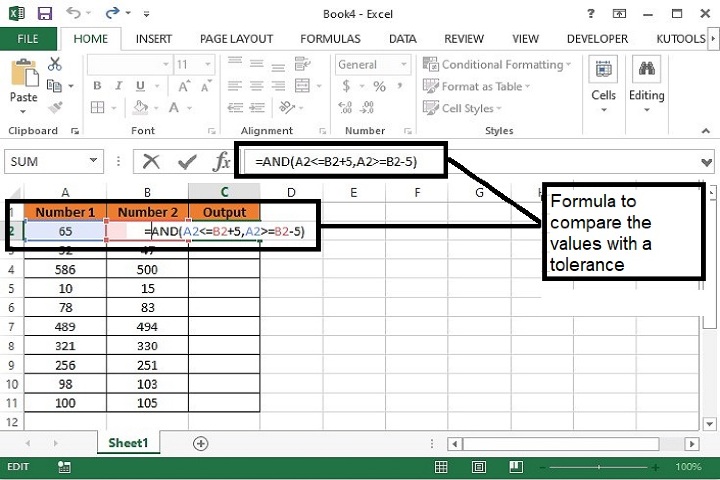
Step 2 ? Enter the formula in C2 cell as mentioned below. This formula will return True for those values where tolerance is equals to 5 or False when tolerance value is greater than 5 or less than 5.
=AND(A2<=B2+5,A2>=B2-5)
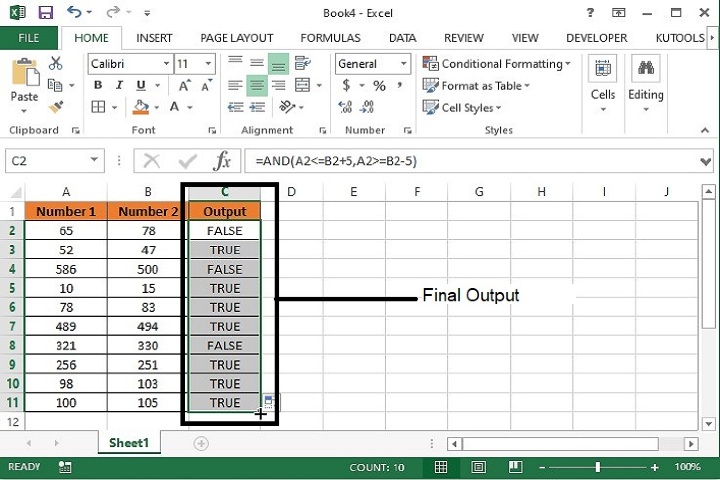
Step 3 ? Now, drag the formula till the last row of data and the final output will be as following.
Formula Syntax Description
Argument |
Description |
|---|---|
AND(logical_1, logical_2, logical_3) |
AND function returns True if all the conditions are true in logic and returns False if any of the conditions is false. |
Conclusion
Hence using the above formula, adjacent numbers as well as numbers of different cells can be compared with a tolerance value. However, one more formula can also be used for the same activity i.e. =ABS(A2-B2) <="ToleranceValue". This will also work in the same way as mentioned above.
2K+ Views
