
Article Categories
- All Categories
-
 Data Structure
-
 Networking
-
 RDBMS
RDBMS
-
 Operating System
-
 Java
Java
-
 MS Excel
-
 iOS
iOS
-
 HTML
HTML
-
 CSS
CSS
-
 Android
-
 Python
-
 C Programming
-
 C++
C++
-
 C#
C#
-
 MongoDB
-
 MySQL
MySQL
-
 Javascript
-
 PHP
PHP
Selected Reading
How can I resize the root window in Tkinter?
In this example, we will see how to resize a tkinter window using the geometry manager. Tkinter geometry manager is generally used to configure the width and height of a tkinter window.
The geometry(width, height)method takes width and height as instances and resizes the window accordingly. We can also define the position of the tkinter window by adding geometry(width x height, X, Y) where x and y are horizontal and vertical positions of the window.
Example
#Import tkinter library
from tkinter import *
from tkinter import ttk
#Create an instance of tkinter frame or window
win= Tk()
#Set the geometry of tkinter frame
win.geometry("750x250+400+300")
#Create a Label widget
label1= Label(win, text="Hello There!", font= ('Courier 20 underline'))
label1.pack()
win.mainloop()
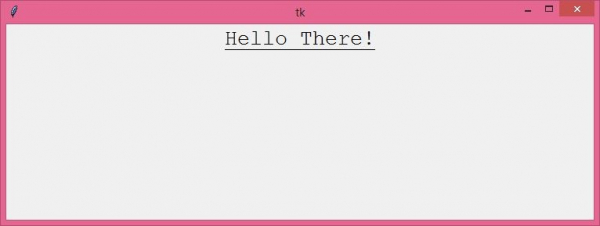
Output
Now, run the above code to display the dynamically resized tkinter window.

Updated on: 2021-04-21T07:43:48+05:30
4K+ Views

Advertisements