
 Data Structure
 Networking
 RDBMS
RDBMS Operating System
 Java
Java MS Excel
 iOS
iOS HTML
HTML CSS
CSS Android
 Python
 C Programming
 C++
C++ C#
C# MongoDB
 MySQL
MySQL Javascript
 PHP
PHP
- Selected Reading
- UPSC IAS Exams Notes
- Developer's Best Practices
- Questions and Answers
- Effective Resume Writing
- HR Interview Questions
- Computer Glossary
- Who is Who
Data Chunks in Node.js
Data chunks in Node.js or any other language can be defined as a fragment of data that is sent to all the servers by the client. The servers make a stream of these chunks and form a buffer stream. This buffer stream is then converted into meaningful data.
Syntax
request.on('eventName', [callback] )
Parameters
The parameters are described below −
eventName − It is the name of the event that will be fired.
callback − Callback function to handle any error if it occurs.
Example
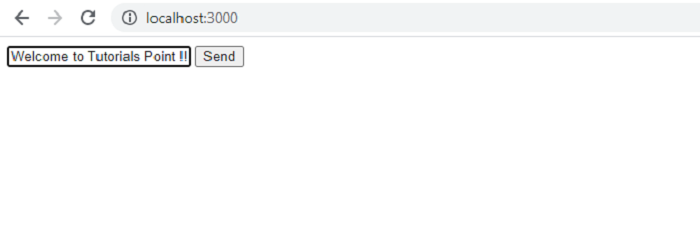
Create a file with the name "index.js" and copy the following code snippet. After creating the file, use the command "node index.js" to run this code.
// Data Chunk Example in Node

// Importing the http module
const http = require('http');

// Creating a server
const server = http.createServer((req, res) => {
   const url = req.url;
   const method = req.method;

   if (url === '/') {
      // Defining the HTML page
      res.write('<html>');
      res.write('<head><title>Enter Message</title><head>');
      res.write(`<body><form action="/message" method="POST">
      <input type="text" name="message"></input>
      <button type="submit">Send</button></form></body></html>`);
      res.write('</html>');
      return res.end();
   }

   // POST Request for sending data
   if (url === '/message' && method === 'POST') {
      const body = [];

      req.on('data', (chunk) => {

         // Saving the chunk data at server
         body.push(chunk);
         console.log(body)
      });
      req.on('end', () => {
         // Parsing the chunk data in buffer
         const parsedBody = Buffer.concat(body).toString();
         const message = parsedBody.split('=')[1];

         // Printing the data
         console.log(message);
      });

      res.statusCode = 302;
      res.setHeader('Location', '/');
      return res.end();
   }
});

// Starting the server
server.listen(3000);
Output
C:\home
ode>> node index.js
[ <Buffer 6d 65 73 73 61 67 65 3d 57 65 6c 63 6f 6d 65 2b 74 6f 2b 54 75 74 6f 72 69 61 6c 73 2b 50 6f 69 6e 74 2b 25 32 31 25 32 31 25 32 31> ]
Welcome+to+Tutorials+Point+%21%21%21

Updated on: 2021-08-18T09:52:53+05:30
4K+ Views

Advertisements