
Article Categories
- All Categories
-
 Data Structure
-
 Networking
-
 RDBMS
RDBMS
-
 Operating System
-
 Java
Java
-
 MS Excel
-
 iOS
iOS
-
 HTML
HTML
-
 CSS
CSS
-
 Android
-
 Python
-
 C Programming
-
 C++
C++
-
 C#
C#
-
 MongoDB
-
 MySQL
MySQL
-
 Javascript
-
 PHP
PHP
Selected Reading
Controlling Whether Mouse & Touch Allowed with CSS pointer-events Property
Using the CSS pointer-events property we can control whether a mouse and touch are allowed on an element.
The syntax of CSS pointer-events property is as follows −
pointer-events: auto|none;
Above,
auto is default. Element reacts to pointer events, whereas
none: Element does not react to pointer events
Example
The following examples illustrate CSS pointer-events property.
<!DOCTYPE html>
<html>
<head>
<style>
a {
   margin: 10vh;
   pointer-events: none;
}
a:last-of-type {
   pointer-events: auto;
}
</style>
</head>
<body>
<a href=#>No pointer event here</a>
<a href=#>Automatic pointer event here</a>
</body>
</html>
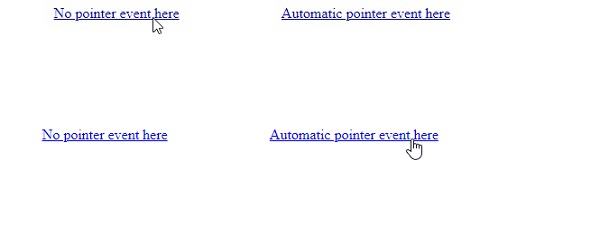
Output
This will produce the following result −
Example
<!DOCTYPE html>
<html>
<head>
<style>
select {
   margin: 10vh;
   pointer-events: none;
   background-color: mistyrose;
}
</style>
</head>
<body>
<select>
<option>No event here </option>
<option>a</option>
<option>b</option>
<option>c</option>
</select>
</body>
</html>
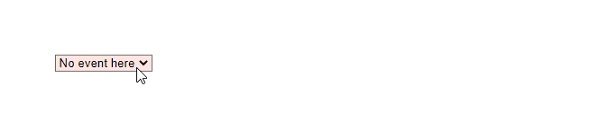
Output
This will produce the following result −

Updated on: 2021-03-12T11:06:24+05:30
294 Views

Advertisements