
Article Categories
- All Categories
-
 Data Structure
-
 Networking
-
 RDBMS
RDBMS
-
 Operating System
-
 Java
Java
-
 MS Excel
-
 iOS
iOS
-
 HTML
HTML
-
 CSS
CSS
-
 Android
-
 Python
-
 C Programming
-
 C++
C++
-
 C#
C#
-
 MongoDB
-
 MySQL
MySQL
-
 Javascript
-
 PHP
PHP
Selected Reading
Configure tkinter/ttk widgets with transparent backgrounds
Tkinter has many feature attributes and properties to frame the structure of an application and configure the widget. In this article, we will see how to set Tkinter widgets with a transparent background. The wm_attributes('-transparentcolor', 'color') method is used for providing the transparent background to the widget.
Example
In this example, we will create a Label widget with transparent background.
#Import the required libraries
from tkinter import *

#Create an instance of Tkinter Frame
win = Tk()

#Set the geometry
win.geometry("700x350")

#Adding transparent background property
win.wm_attributes('-transparentcolor', '#ab23ff')

#Create a Label
Label(win, text= "Hello World!", font= ('Helvetica 18'), bg= '#ab23ff').pack(ipadx= 50, ipady=50, padx= 20)

win.mainloop()
Output
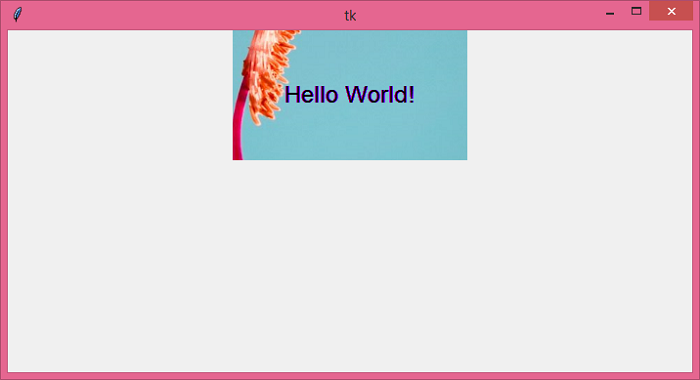
Running the above code will display a window that contains a Label with transparent background.

Updated on: 2021-05-25T09:20:18+05:30
6K+ Views

Advertisements