
- Computer Concepts - Home
- Introduction to Computer
- Introduction to GUI based OS
- Elements of Word Processing
- Spread Sheet
- Introduction to Internet, WWW, Browsers
- Communication & Collaboration
- Application of Presentations
- Application of Digital Financial Services
- Computer Concepts Resources
- Computer Concepts - Quick Guide
- Computer Concepts - Useful Resources
- Computer Concepts - Discussion
Creating Text, Number and Date Series
Here, we will look into creating text, number and data series −
Creating Text Series
Select the cell that contains starting text.
Then drag fill handle (+) over the cell where you want to fill text.


Creating Number Series
Open a new excel sheet.
Select the cell that contains starting number.
Then drag fill handle (+) over the cell where you want to fill number.


Example


Creating Dates Series
Returns the sequential serial number that represents a particular date.
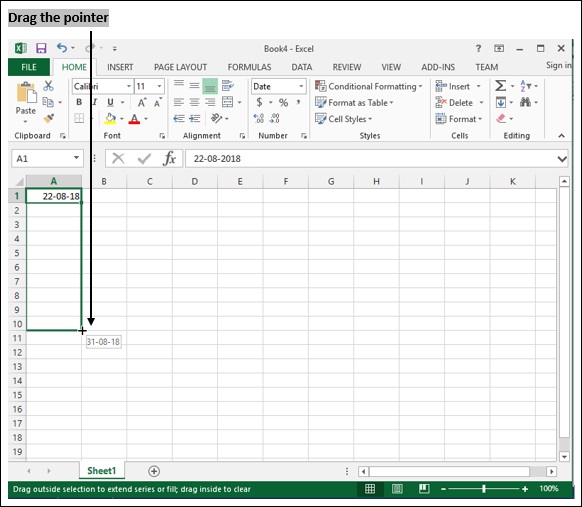
Select the cell that contains starting date.
Then drag fill handle (+) over the cell where you want to fill date.


computer_concepts_spread_sheet.htm
Advertisements