
Article Categories
- All Categories
-
 Data Structure
-
 Networking
-
 RDBMS
RDBMS
-
 Operating System
-
 Java
Java
-
 MS Excel
-
 iOS
iOS
-
 HTML
HTML
-
 CSS
CSS
-
 Android
-
 Python
-
 C Programming
-
 C++
C++
-
 C#
C#
-
 MongoDB
-
 MySQL
MySQL
-
 Javascript
-
 PHP
PHP
-
 Economics & Finance
Arduino Uno vs Arduino Leonardo
We will have a comparison of the specifications of Arduino Uno and the Arduino Leonardo Board.
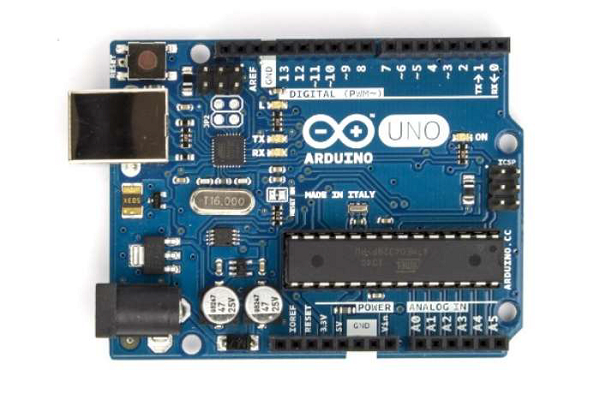
Arduino Uno
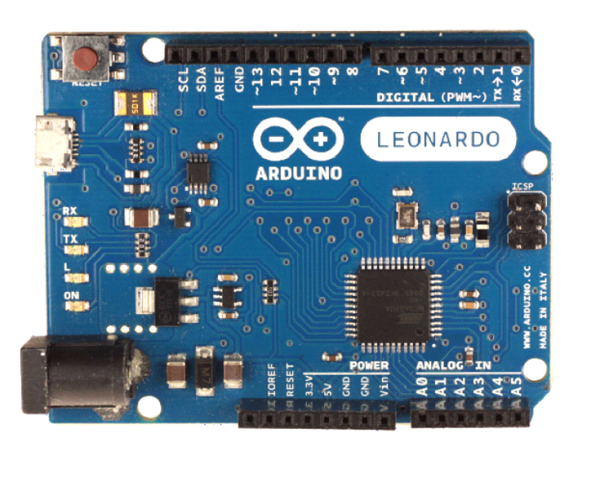
Arduino Leonardo
Refer to the table below for a detailed comparison −
| Uno | Leonardo | ||
|---|---|---|---|
| General | Dimensions Pricing |
2.7'' x 2.1'' $20-23 |
2.7'' x 2.1'' $20-21 |
| Connectivity | I/O Pins PWM Pins Analog Pins |
14 6 6 |
20 7 12 |
| Computing | Processor Flash Memory SRAM EEPROM Clock speed Voltage Level USB Connectivity |
ATmega328P 32 kB 2 kB 1 kB 16 MHz 5V Standard A/B USB |
ATmega32u4 32 kB 2.5 kB 1 kB 16 MHz 5V Standard A/B USB |
| Communication | Hardware Serial Ports SPI Support I2C Support |
1 Yes Yes |
2 Yes (master only) Yes |
Apart from the differences mentioned in the above table, two other major differences that I'd like to highlight −
The SPI pins on Leonardo are not exposed via digital pins, but via ICSP headers.And the slave select pin is not exposed at all. Therefore, the Leonardo board cannot be used as an SPI slave. It can be used as a master, and one of the GPIOs can be connected to the slave select pin of the slave.
Leonardo's ATmega32u4 has in-built USB communication, thereby eliminating the need for a USB to UART converter. This opens up several possibilities. Several of them are highlighted here. One interesting possibility it opens up is allowing us to use the Leonardo as a Keyboard or a Mouse, other than a COM Port.

822 Views
