
Article Categories
- All Categories
-
 Data Structure
-
 Networking
-
 RDBMS
RDBMS
-
 Operating System
-
 Java
Java
-
 MS Excel
-
 iOS
iOS
-
 HTML
HTML
-
 CSS
CSS
-
 Android
-
 Python
-
 C Programming
-
 C++
C++
-
 C#
C#
-
 MongoDB
-
 MySQL
MySQL
-
 Javascript
-
 PHP
PHP
Selected Reading
How to add a new list element under a \\\'ul\\\' using jQuery?
In this article, we will learn to add a new list element under a "
- " using jQuery. jQuery is a popular JavaScript library that simplifies HTML manipulation, event handling, and animations. One of its practical applications is dynamically adding elements to a webpage without requiring a full page reload.
- Select elements efficiently.
- Handle events seamlessly.
- Modify the DOM dynamically.
Why Use jQuery?
DOM (Document Object Model) updating using basic JavaScript might become difficult and needs more than one line of code. jQuery has simplified it through easy selectors and functions. Employing jQuery helps us ?To add a new list element under an "" element
, use the jQuery append() method.
Set input type text initially ?
Value:
Now on the click of a button, add a new list element using the val() and append() methods in jQuery ?
$(document).ready(function(){
         $('button').click(function() {
            var mylist = $('#input').val();
               $('#list').append('
The jQuery script waits for the document to be ready, then listens for a click event on the button ?
-
$('#input').val() retrieves the value entered in the input field.
-
$('#list').append('
- '+mylist+'
')dynamically adds a new list item () to the unordered list. - return false; prevents the default form submission behavior to avoid page reloads.
Example
Below is an example of adding a new list element under a "
- " using jQuery ?
Output
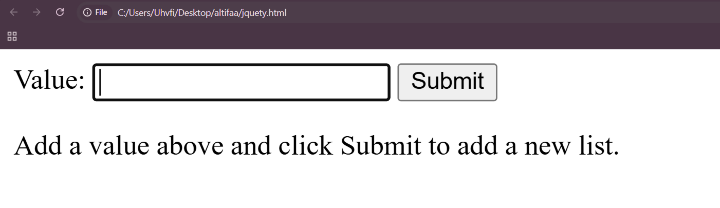
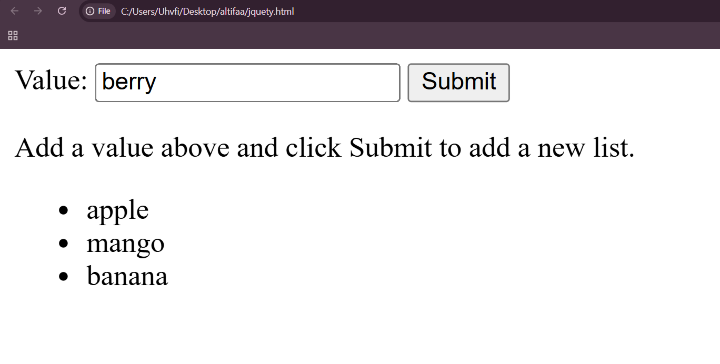
Enter the values and press enter to display it as an unordered list item ?

Updated on: 2025-05-15T19:38:04+05:30
3K+ Views

Advertisements