
Article Categories
- All Categories
-
 Data Structure
-
 Networking
-
 RDBMS
RDBMS
-
 Operating System
-
 Java
Java
-
 MS Excel
-
 iOS
iOS
-
 HTML
HTML
-
 CSS
CSS
-
 Android
-
 Python
-
 C Programming
-
 C++
C++
-
 C#
C#
-
 MongoDB
-
 MySQL
MySQL
-
 Javascript
-
 PHP
PHP
Selected Reading
HTML5 Canvas distorted
If the canvas looks distorted, then try to change the height and width −
<canvas id = ”canvas1” width = '400' height = '300'></canvas>
The default height and width of the canvas in HTML5 is of 2/1 ratio −
width = 300
height = 150
Example
Let us see an example −
<!DOCTYPE HTML>
<html>
   <head>
      <style>
         #mycanvas{border:1px solid red;}
      </style>
   </head>
   <body>
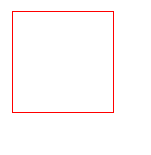
      <canvas id = "mycanvas" width = "100" height = "100"></canvas>
   </body>
</html>
Output

Updated on: 2021-12-16T12:28:24+05:30
729 Views

Advertisements